
Configuration
Settings
Tune transfer performance and optionally use your own provider OAuth apps.
Updated on Sep 12, 2026 Plugin v0.1.5
General settings
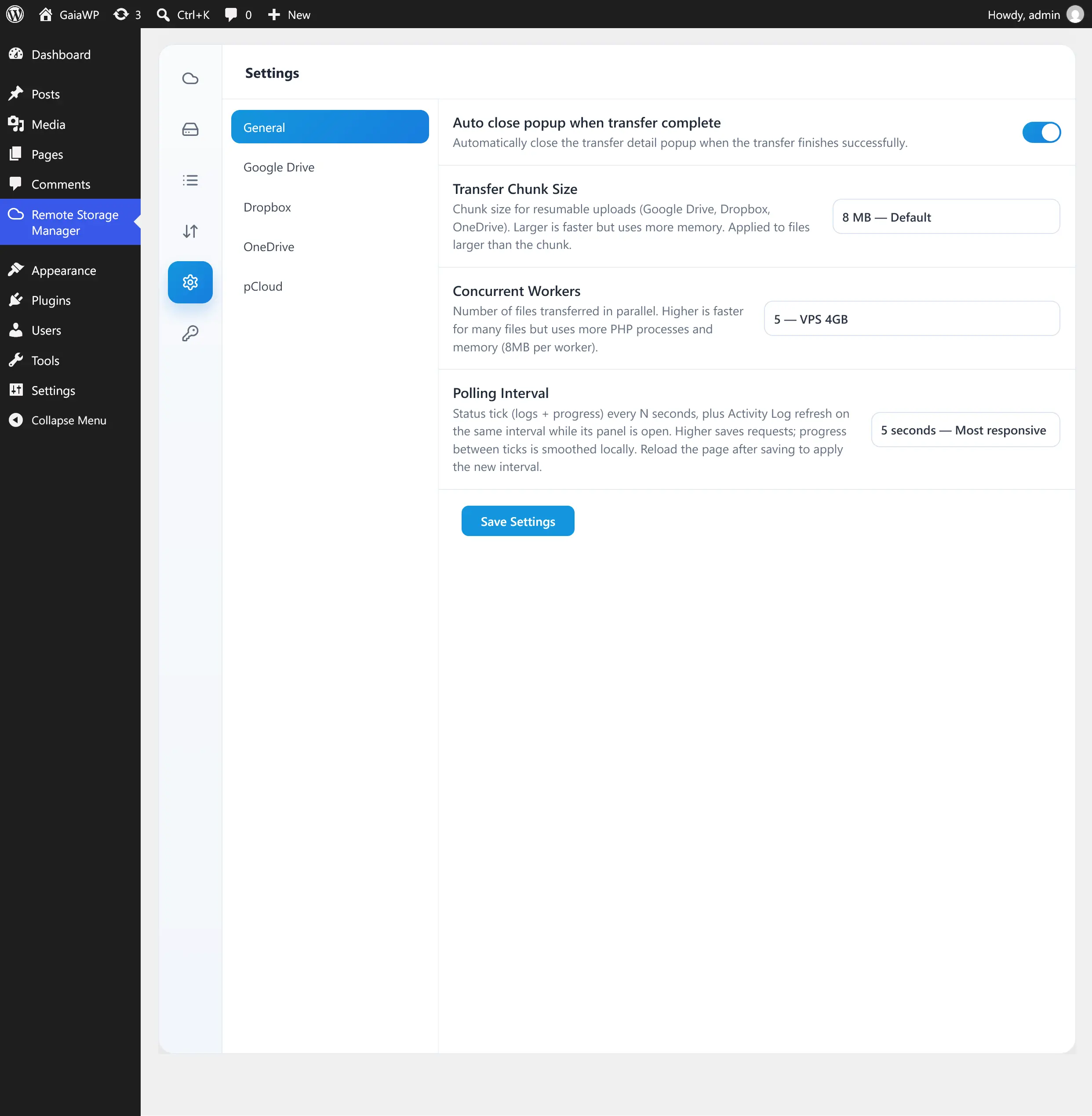
Open Remote Storage Manager → Settings. The tab has a sidebar with General and per-provider app sections (Google Drive, Dropbox, OneDrive, pCloud).
| Setting | Description | Default |
|---|---|---|
| Auto close popup when transfer complete | Close the transfer detail popup automatically after a successful transfer. | Off |
| Transfer Chunk Size | Chunk size used when transferring large files to Google Drive, Dropbox, and OneDrive. Larger is faster but uses more memory. Applied only to files larger than the chunk. Options: 1, 4, 8, 16, 32, 64 MB. | 8 MB |
| Concurrent Workers | Number of files transferred in parallel (1–10). Higher is faster for many small files but uses more PHP processes and memory (~8 MB per worker). | 3 |
| Polling Interval | How often the UI polls for status, logs, and progress (5–30 seconds). Higher values reduce requests. Reload the page after changing it. | 10 seconds |
Recommended worker counts by environment:
- 1–2 — shared hosting (512 MB)
- 3 — VPS with 1 GB (recommended default)
- 4–6 — VPS with 2–4 GB
- 7–10 — dedicated server with 8 GB+, many small files
Provider app settings
The provider sections (Google Drive, Dropbox, OneDrive, pCloud) let you use your own OAuth app credentials instead of the built-in GaiaWP app, if you prefer. Leave them disabled to use the shared app.
Click Save Settings after making changes.