GaiaWP logo GaiaWP

Remote Storage Manager

Connect S3, Drive, Dropbox, SFTP and 19+ storages — then move files between them with a dual-panel browser built into wp-admin.

Remote-to-remote, no local round-trip Secrets stay in your database Live progress with speed & ETA

19+

Storage providers in one picker — S3, R2, Drive, Dropbox, SFTP & more

2-panel

Dual browser — local or remote on each side, drag & drop both ways

0 local

Round-trip — remote-to-remote transfers go direct, server to provider

How it works

Three steps from install to first transfer.

See it in action

The same screenshots as the docs — what you see here is exactly what ships in wp-admin.

Transfer

Two panels, both directions

Point each panel at local storage or any connected account, then drag files across. Both panels can transfer at the same time — no local round-trip, even remote-to-remote.
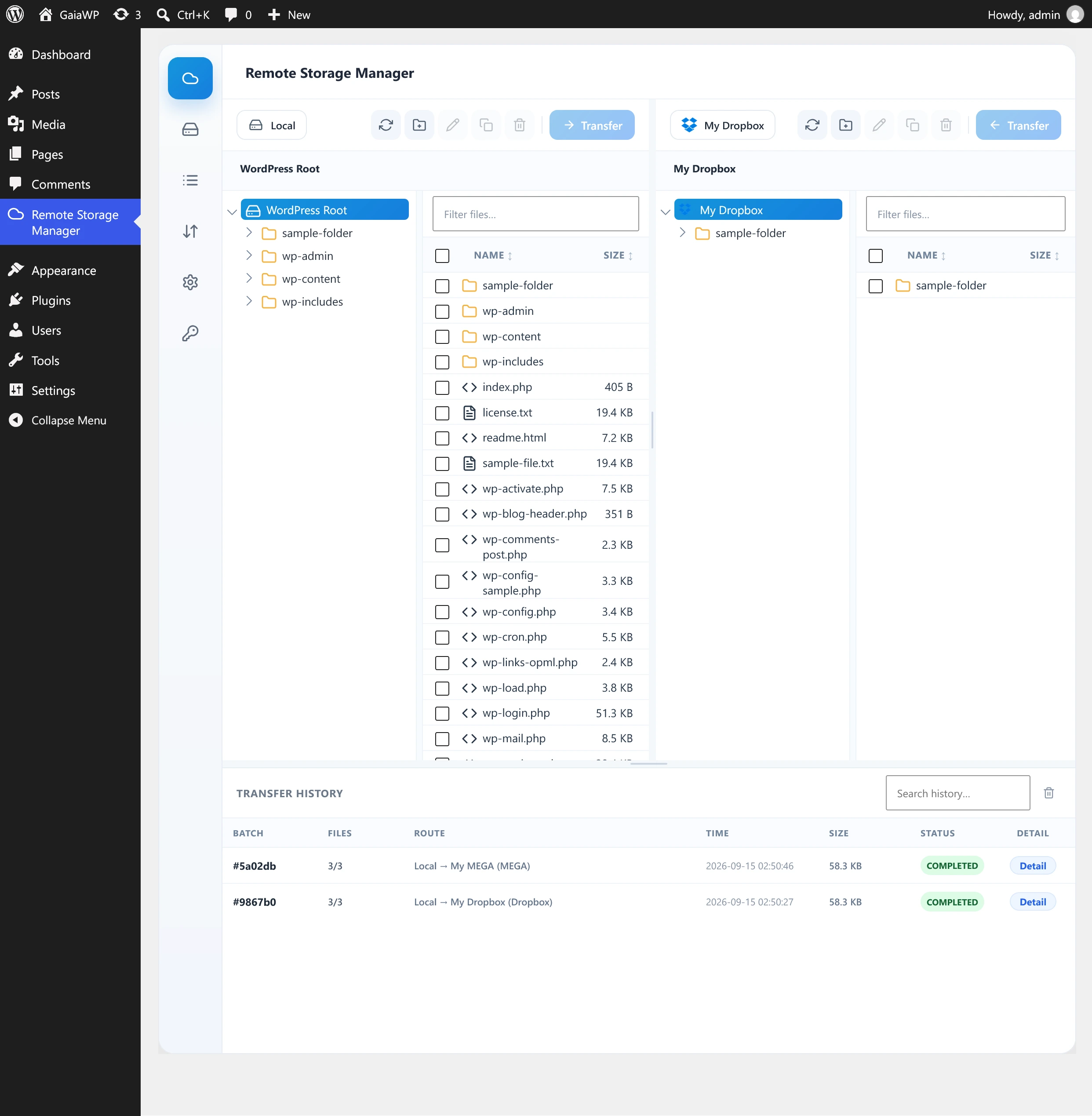
Transfer tab with both panels open

Providers

19+ storage providers in one picker

AWS S3, Cloudflare R2, DigitalOcean Spaces, Wasabi, Azure, Google Drive, Dropbox, OneDrive, Box, pCloud, SFTP, FTP, WebDAV, and Nextcloud — plus any S3-compatible endpoint.
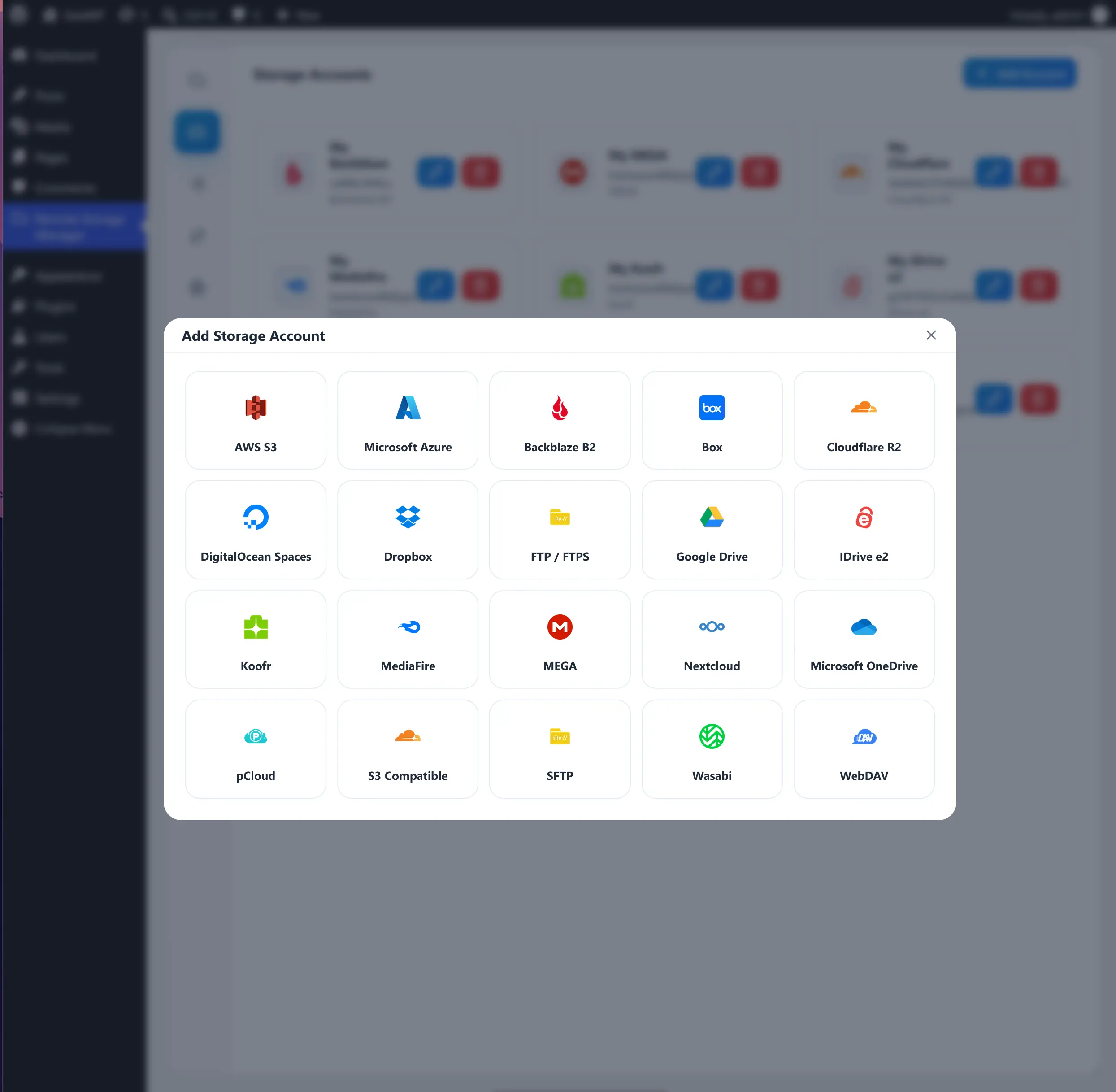
Add Account provider grid

Accounts

Connect with OAuth or credentials

Sign in for Google Drive, Dropbox, OneDrive, Box, and pCloud — or fill a credentials form for S3-style stores, SFTP, FTP, WebDAV, and Nextcloud. Secrets never leave your database. Bring your own OAuth app under Settings when you need it.
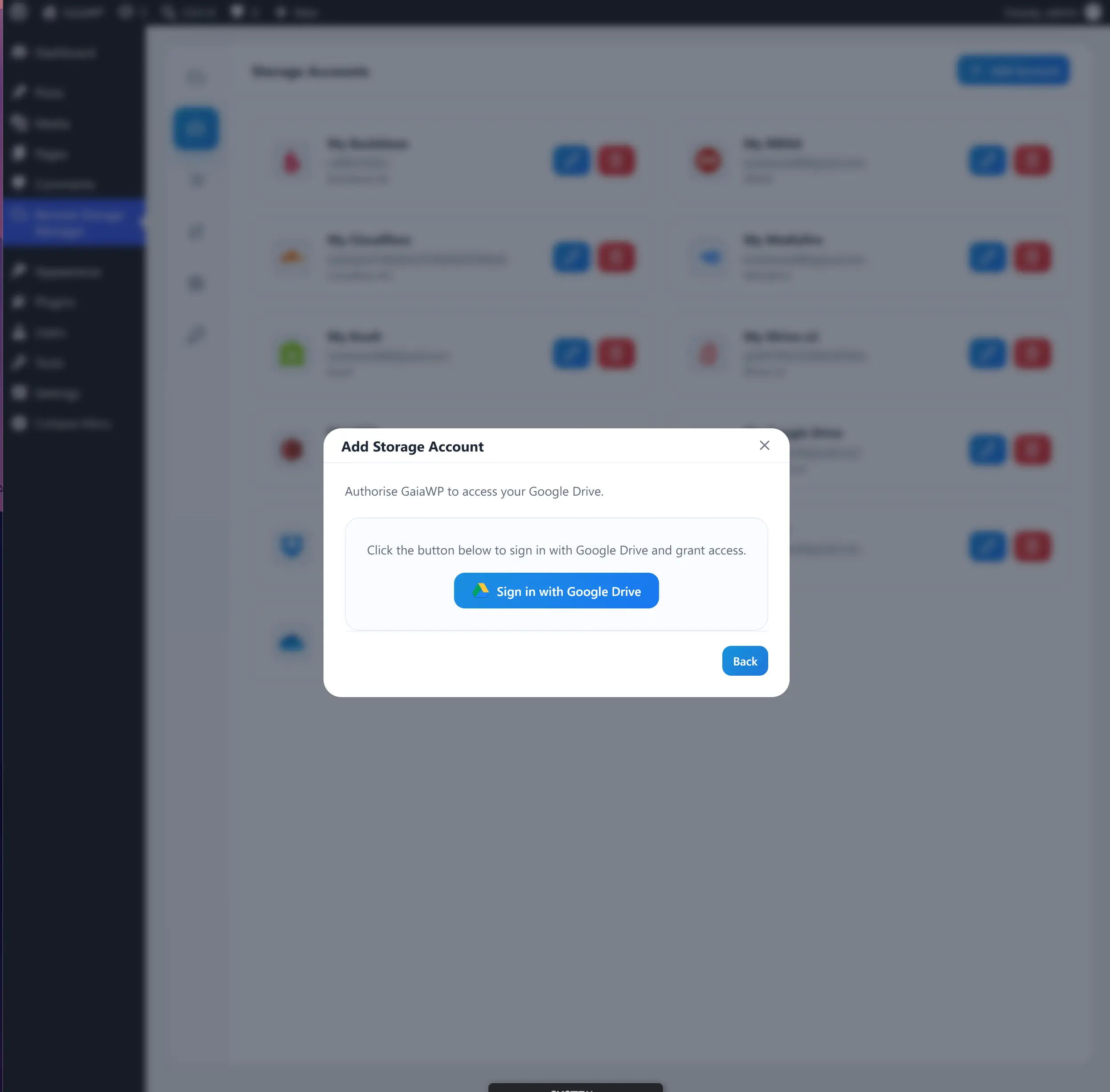
Connecting to Google Drive

Files

Manage files without leaving WordPress

Create folder, rename, duplicate, move, delete, and download right from the browser — with multi-select and drag-and-drop between panels.
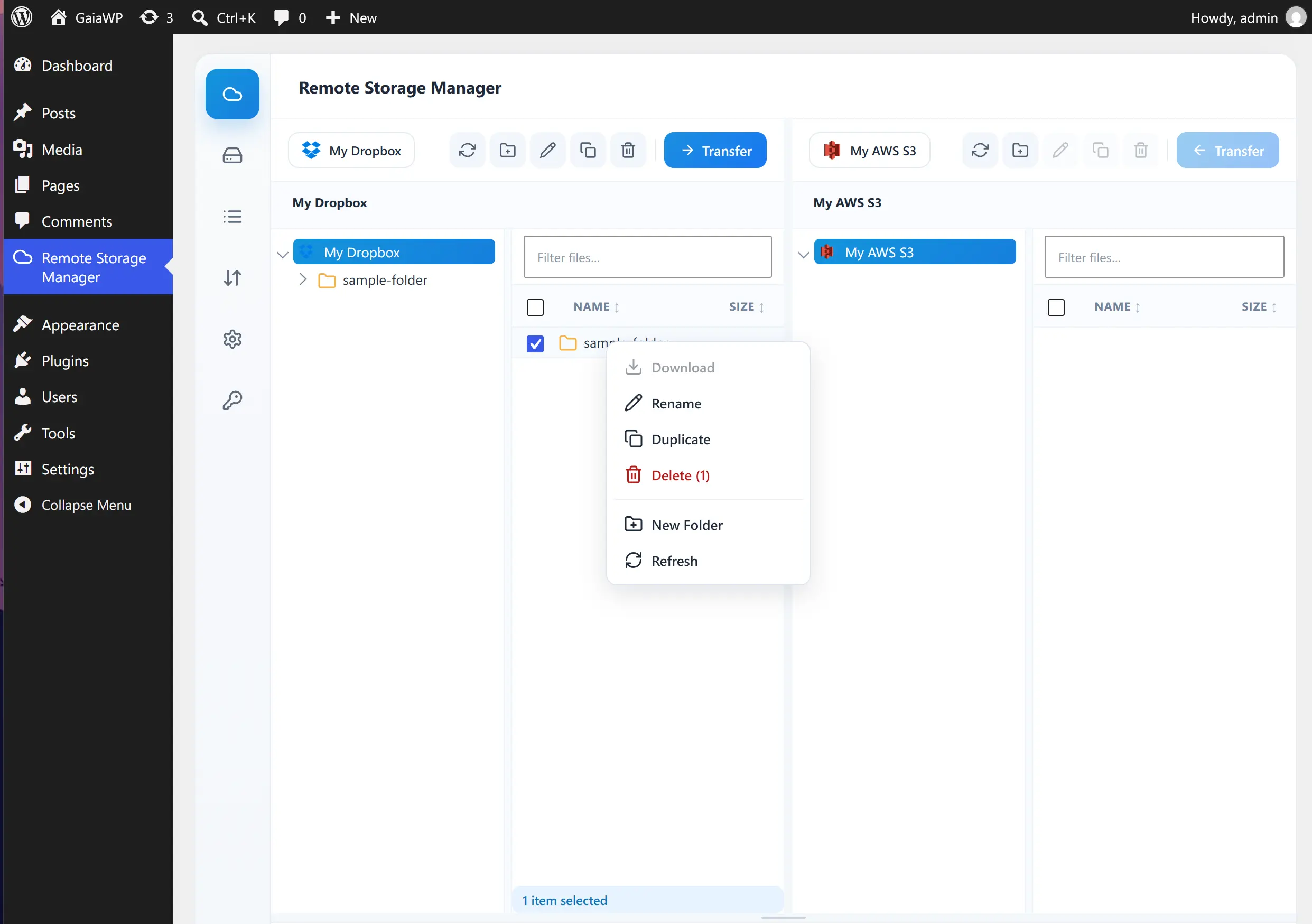
Right-click context menu

Control

Move folders, resolve conflicts

Copy entire folder trees recursively, then choose skip, overwrite, or keep both before the batch runs — decided up front, no surprises mid-transfer.
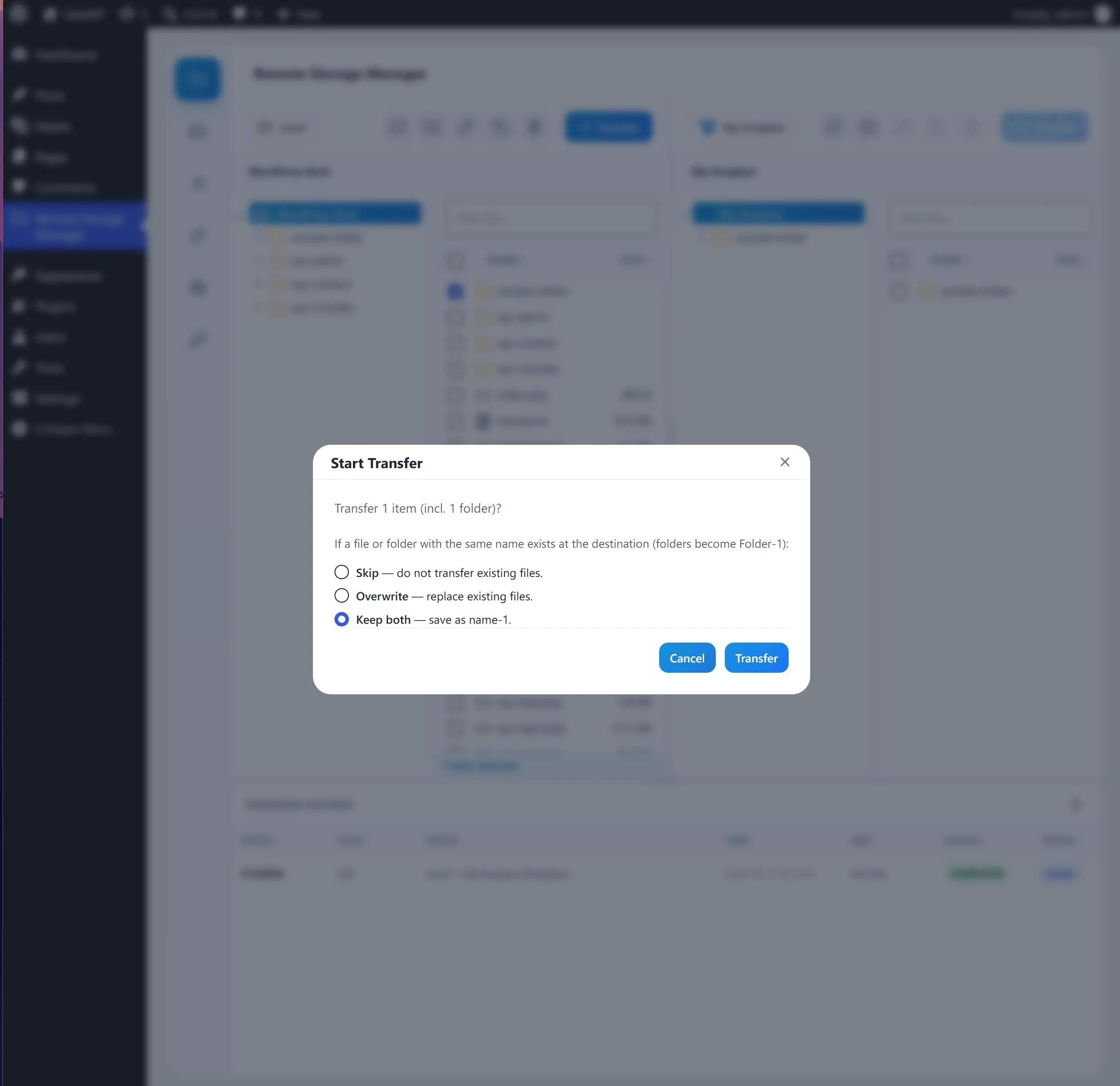
Conflict choice dialog with Skip, Overwrite, and Keep both

Progress

Watch every file with speed & ETA

Per-file progress bars with transfer speed and time remaining keep large folder moves predictable — pause the guesswork while gigabytes move.
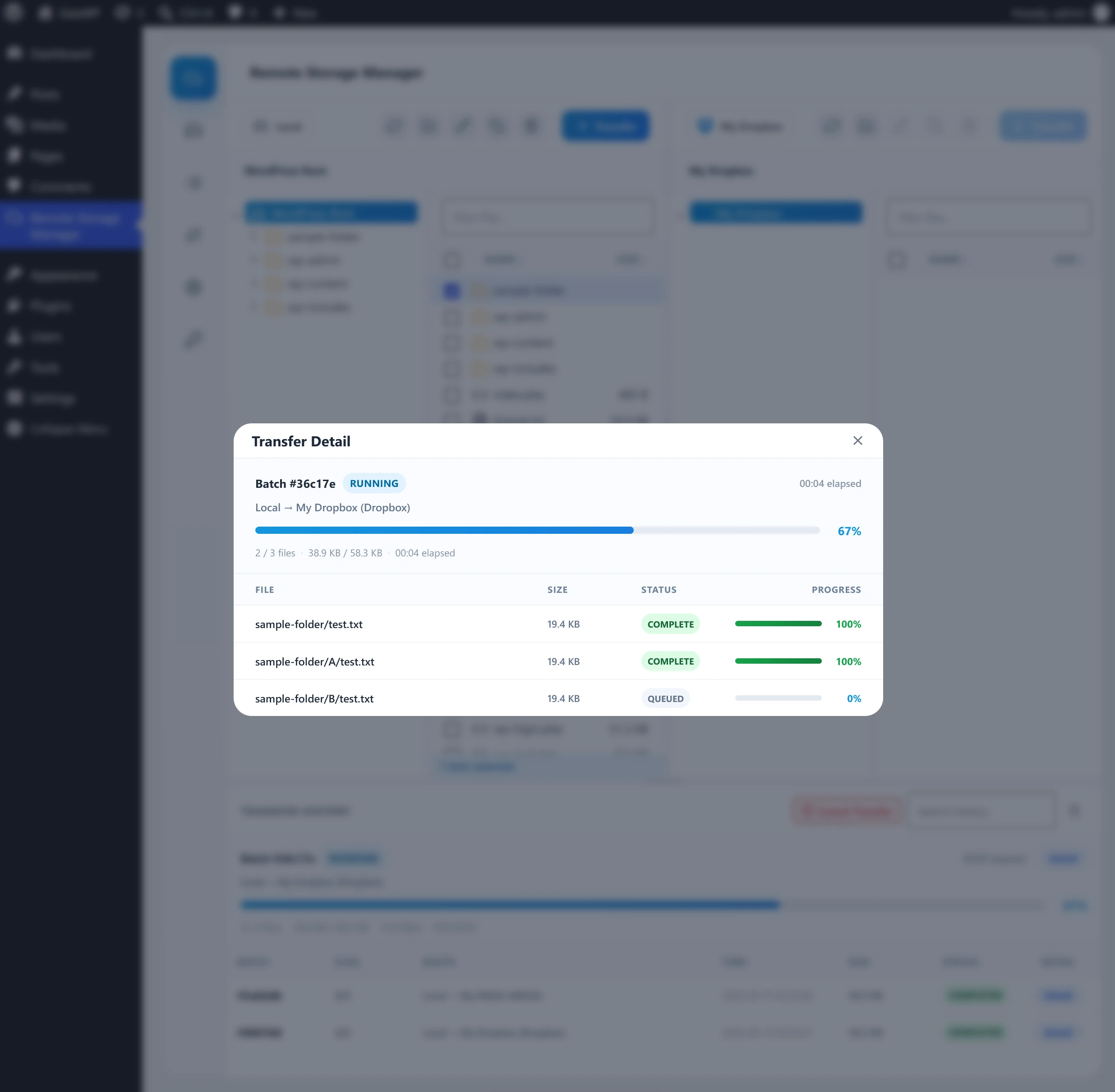
Live transfer progress with per-file speed and ETA

History

Every transfer, searchable

Each batch lands in the Transfer History with per-file detail and a drill-down popup — search and filter to find any transfer, any time.
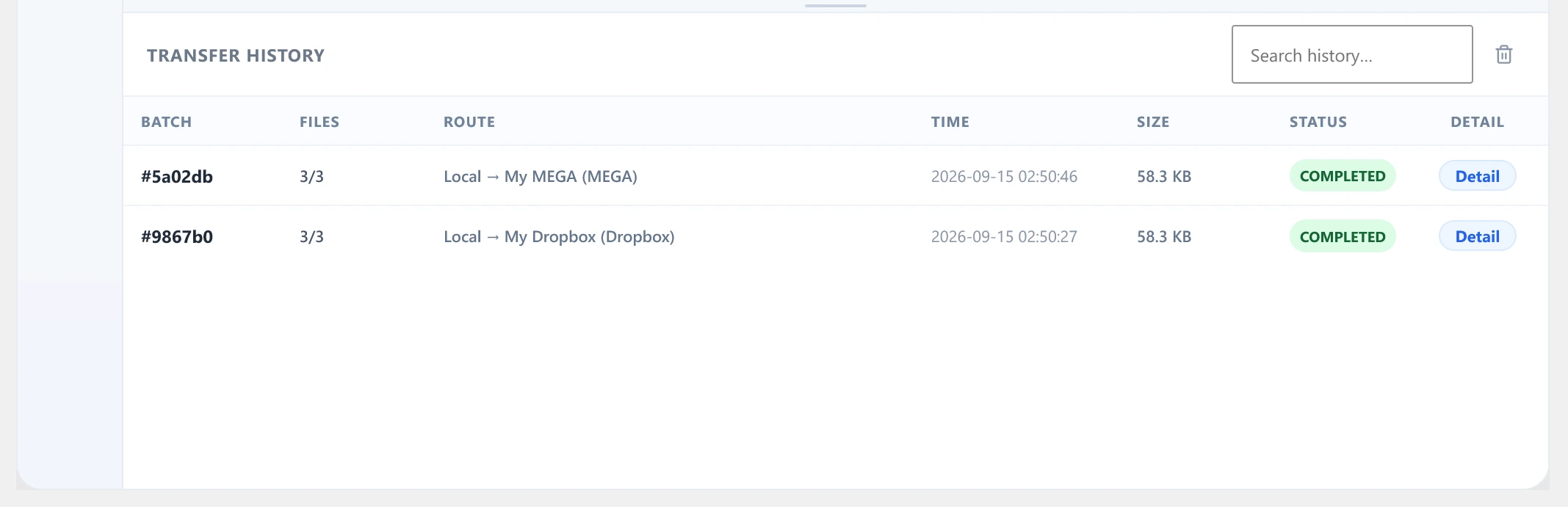
Transfer History list

Diagnostics

Diagnose issues with the Activity Log

An optional database-backed Activity Log records what the plugin does, with search, copy, and clear actions — the first place to look when a transfer stalls.
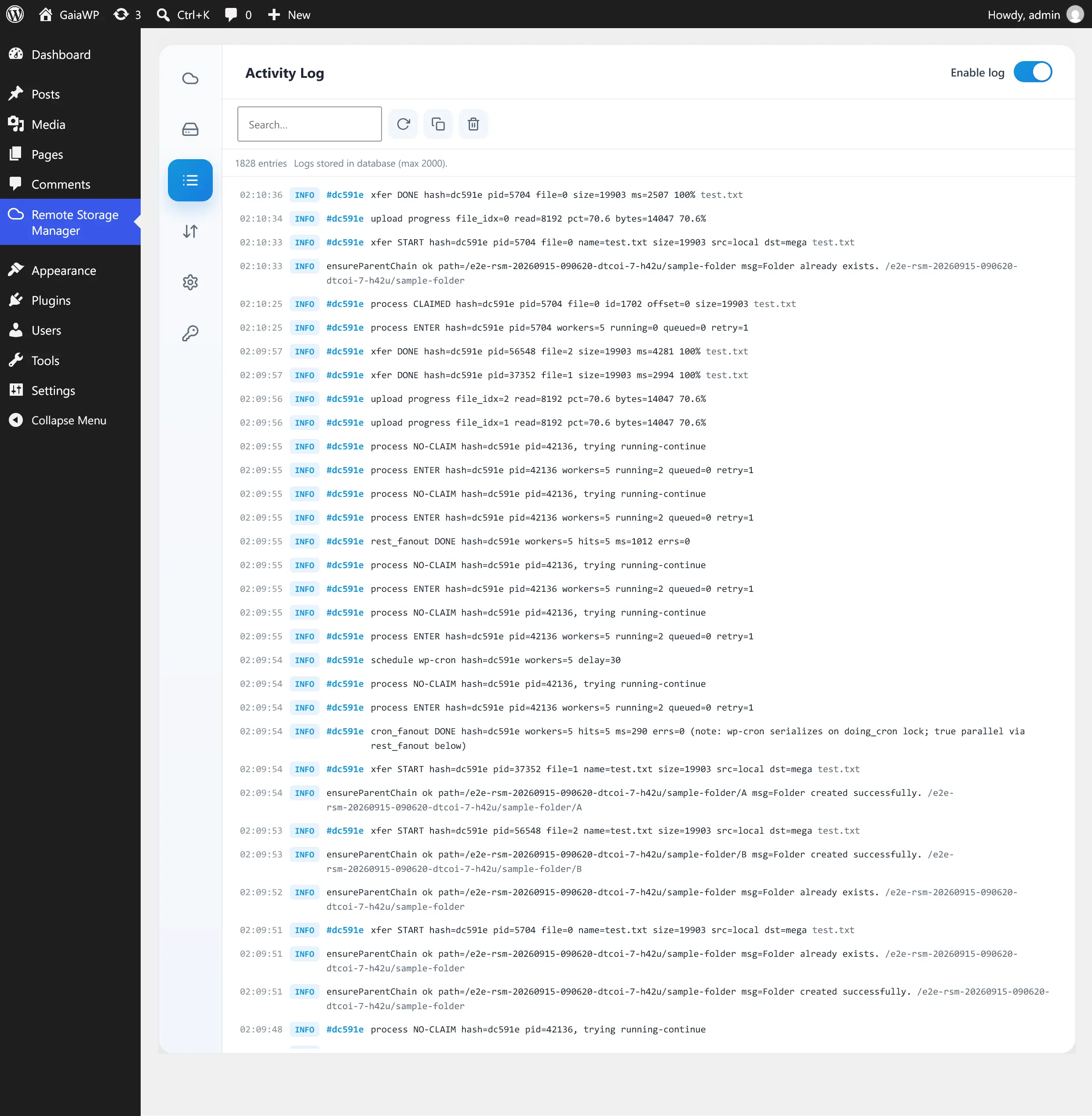
Activity Log with entries and controls

Who is it for

Built for sites whose files live in more than one place.

Agencies & freelancers

Migrate client uploads between S3, R2, and SFTP from one wp-admin — no desktop client, no credentials scattered across laptops.

Stores & creators

Offload product photos and video to cheap object storage, then move archives between clouds as libraries grow.

Teams on shared hosting

Hand editors a familiar two-panel browser with conflict choices decided up front — fewer overwritten files, fewer tickets.

Pick Your License

Licensed per site — pick the tier that fits how many websites you run.

Annual billing · cancel anytime

Personal

Perfect for single website owners and creators.

$99
  • Single Website License
  • Single-product license · Remote Storage Manager only
  • 1-year support and updates
  • Single-site use (no multisite)
Buy Personal
MOST POPULAR

Business

Ideal for freelancers, store owners, and agencies.

$199$495
Save 60%
  • Up to 5 Website Licenses
  • Single-product license · Remote Storage Manager only
  • 1-year support and updates
  • Multisite support
Buy Business

Agency

Built for web agencies, developers, and hosting companies.

$499$1485
Save 66%
  • Up to 15 Website Licenses
  • Single-product license · Remote Storage Manager only
  • 1-year support and updates
  • Multisite support
  • Whitelabel mode for client sites
Buy Agency

Need Media Organizer and Dynamic Plugin Loader too? Get the Suite — one license covers all three plugins, plus every future product while active.

FAQ

Which providers are supported?
19+ providers, including AWS S3, Cloudflare R2, DigitalOcean Spaces, Wasabi, Azure, Google Drive, Dropbox, OneDrive, SFTP, and WebDAV. Any S3-compatible endpoint works too.
Can I move files between two remote accounts?
Yes. Point each panel at a different account and transfer directly — no local round-trip required.
Is my data sent through GaiaWP servers?
No. File data flows directly between your WordPress server and the storage provider. Only OAuth sign-in is brokered to obtain an access token.
Does deleting an account delete my files?
No. Removing an account only deletes its stored connection from WordPress — files stay untouched in the remote storage.
Are my credentials safe?
Secrets are stored in your own WordPress database and never returned to the browser in full. Edit forms show password fields empty and only replace a secret when you type a new value.
Can I use my own OAuth app credentials?
Yes. Configure them under Settings → [Provider] to avoid using the shared GaiaWP app.
How many accounts can I connect?
There is no built-in limit. Each account appears in both panel dropdowns.
Is it licensed per site? Is it in the Suite?
Yes — pick the tier that fits how many websites you run. The Suite license covers Remote Storage Manager plus Media Organizer and Dynamic Plugin Loader under one key.
Can I use Personal for multisite?
No. Personal is single-site only and locks the admin to the License screen on multisite networks. Choose Business or Agency for multisite support.